Open the PlayerInventoryComponent and add the highlighted nodes shown below.
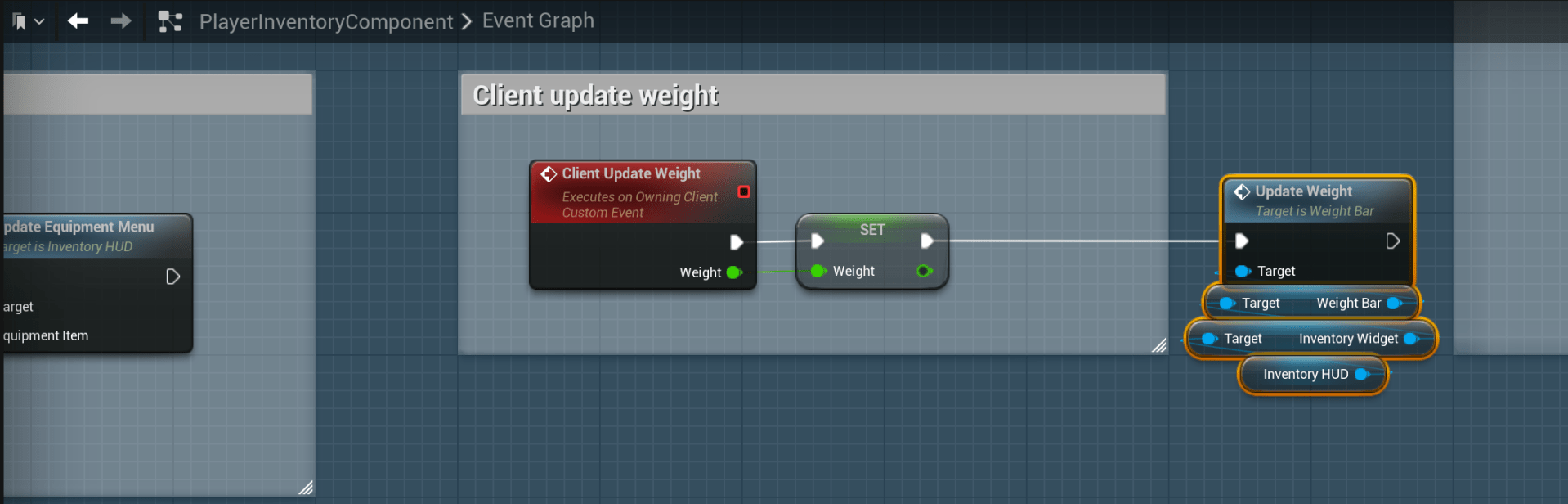
Delete the highlighted nodes shown in the image below.

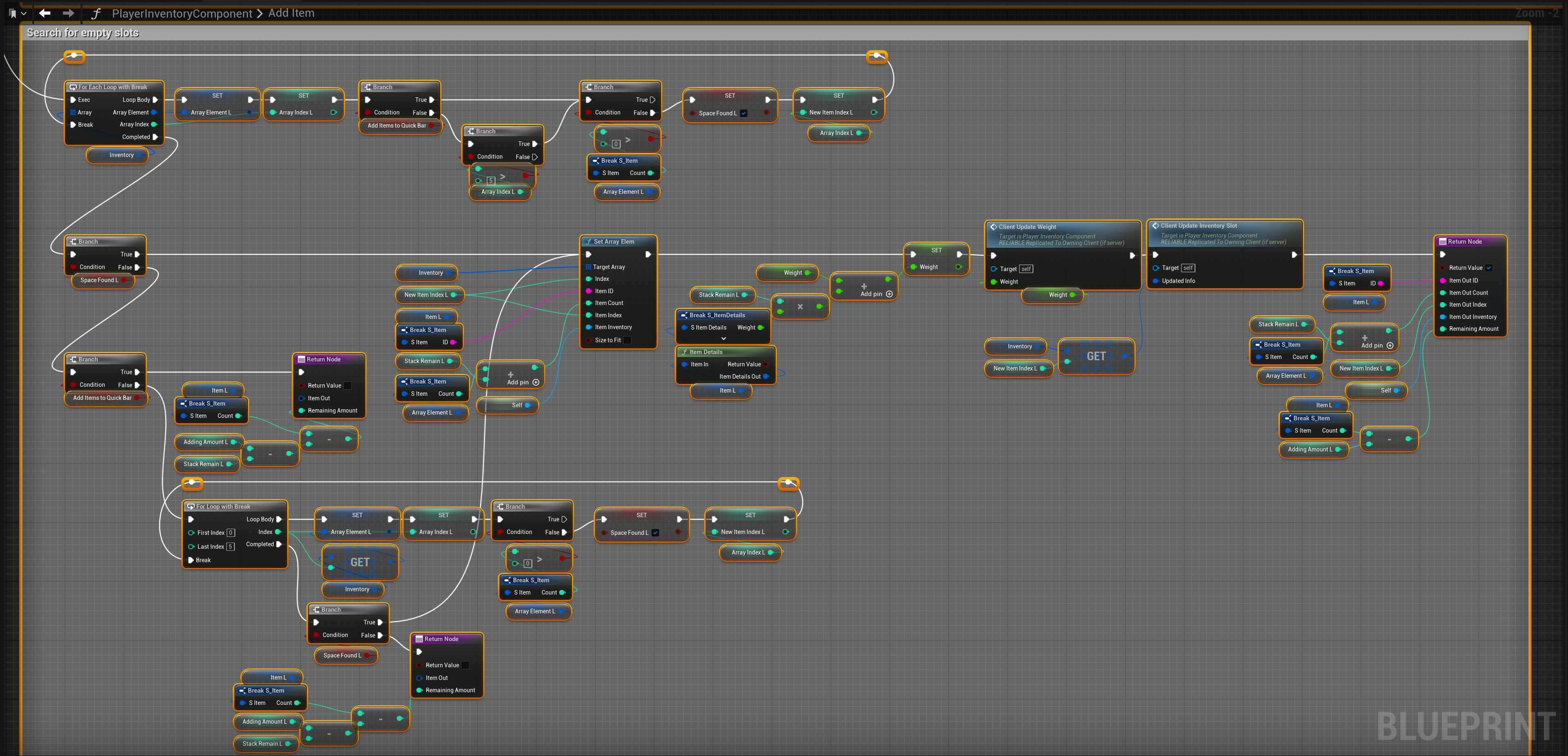
Then open the AddItem function and copy the video below.
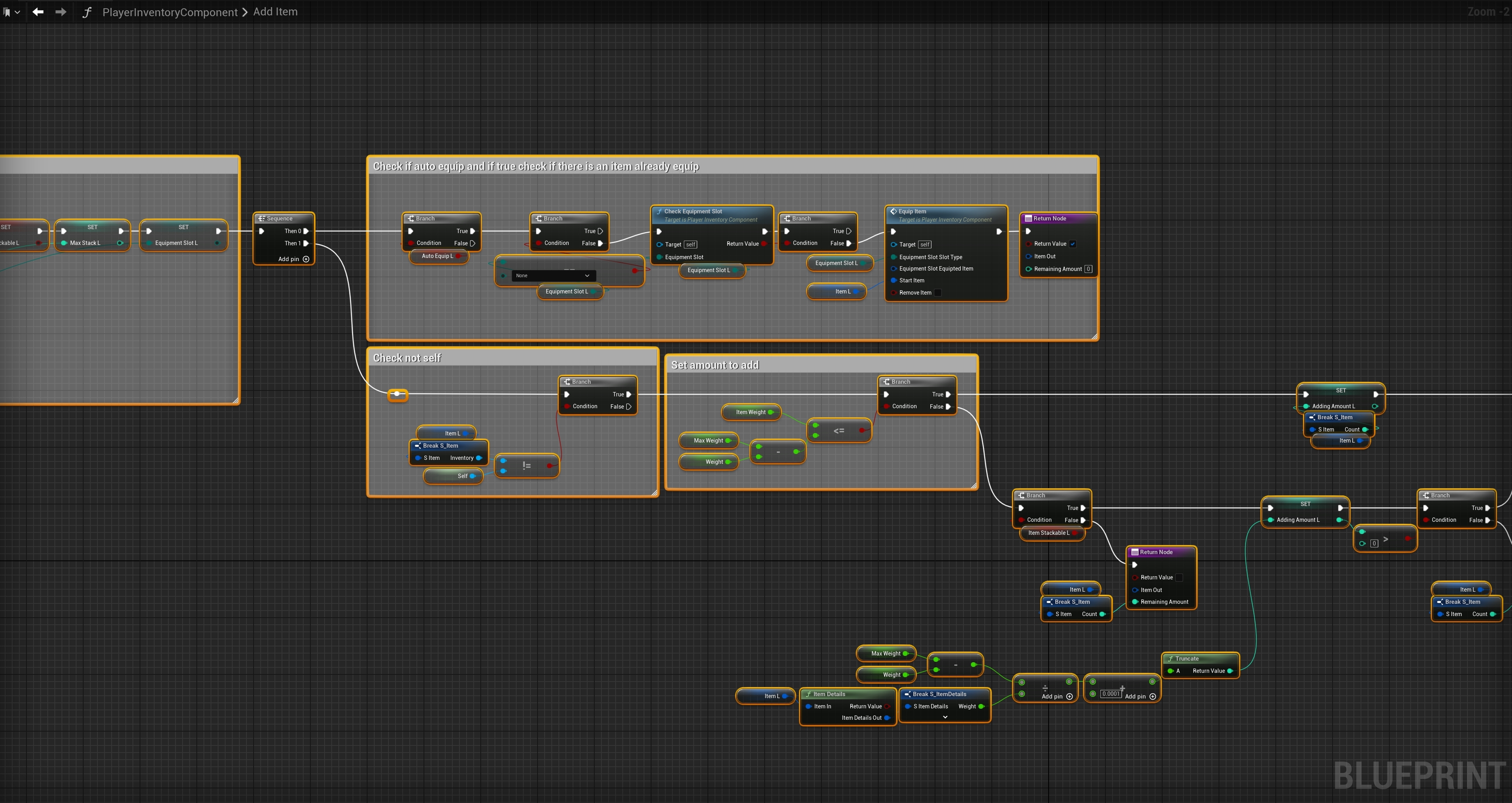
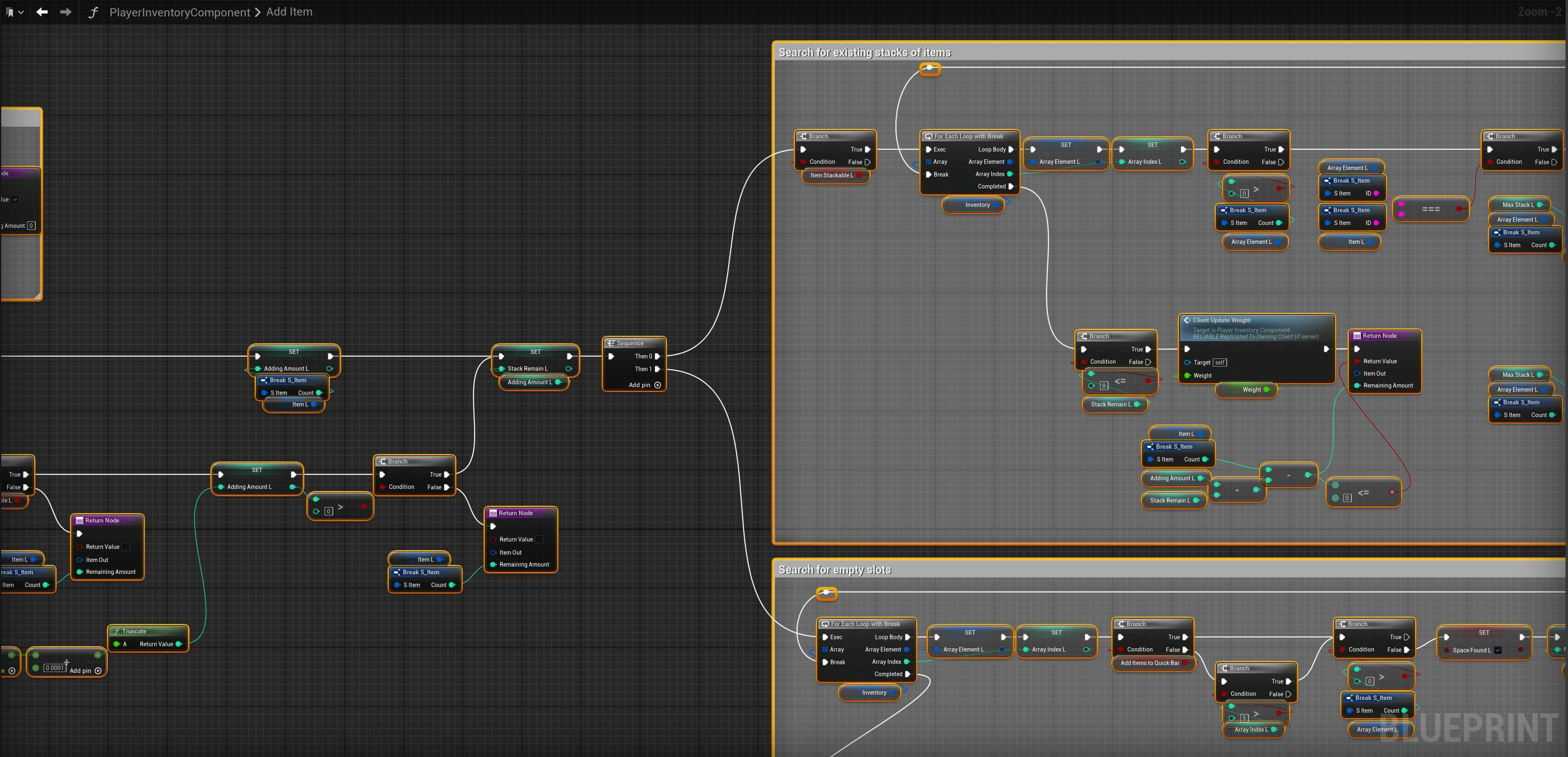
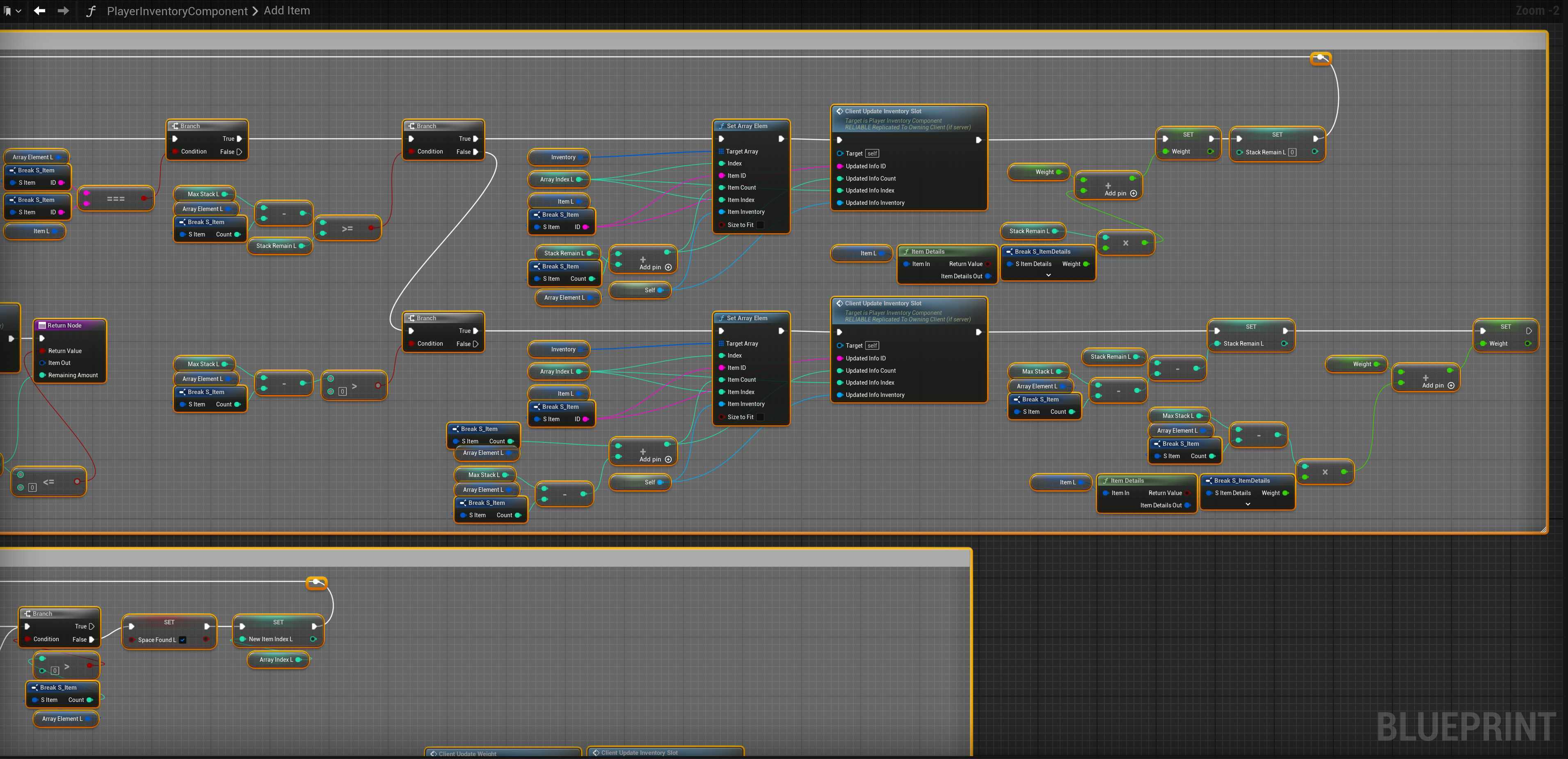
Next add the nodes shown in the images below, this has been seperated into multiple images to show all the functions code.
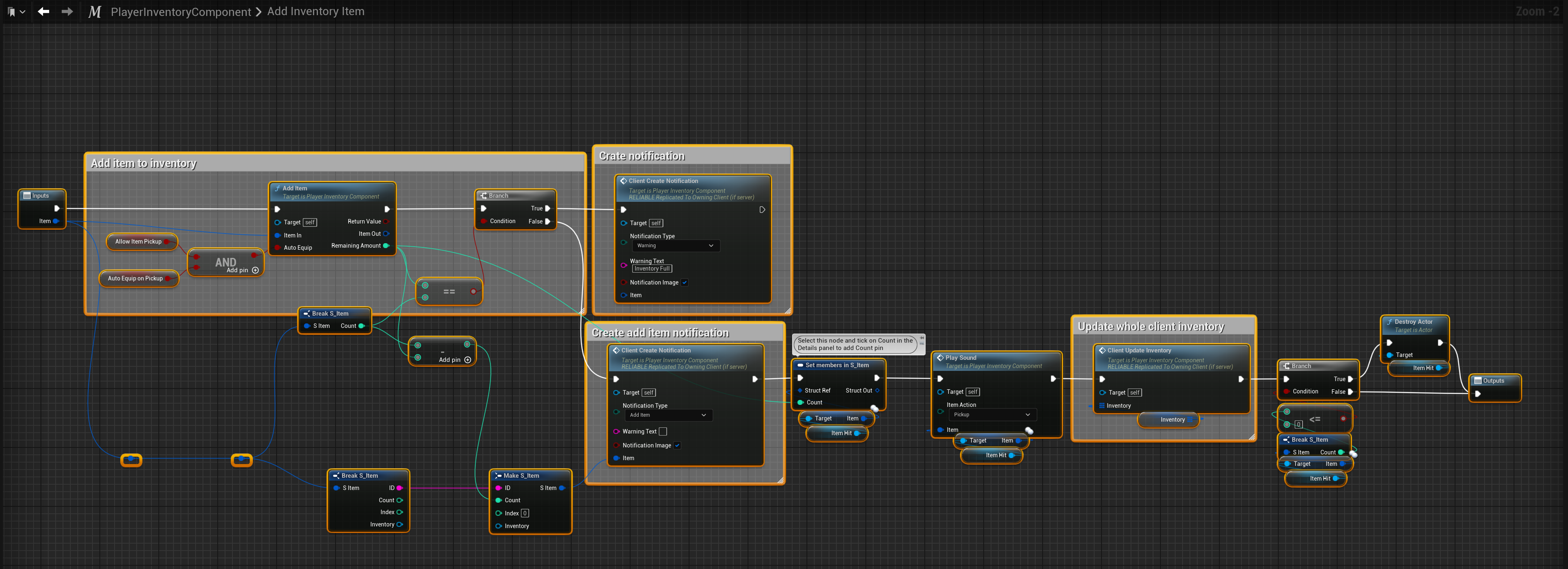
Next go to the AddInventoryItem macro and copy the image below.
 Defuse Studios