Make a backup of your project before following this guide!
Projects using engine versions older the 5.1/5.2 follow the guides linked below before this guide
https://defusestudios.com/sgkv2documentation/#Engine-Upgrade
Upgrade from UE5.1 / 5.2 to UE5.3
If you are creating a new Survival Game Kit V2 project from the Epic launcher select the UE5.3 engine version when creating the project and the project will already have all the changes made in this guide!
Once you have opened the project in Unreal Engine 5.3 open the BP_ControlSaves then go to the AddControlToSave function and copy the image below.

Next go to the BP_SGKGameInstance then go to the LoadControls function and copy the image below.
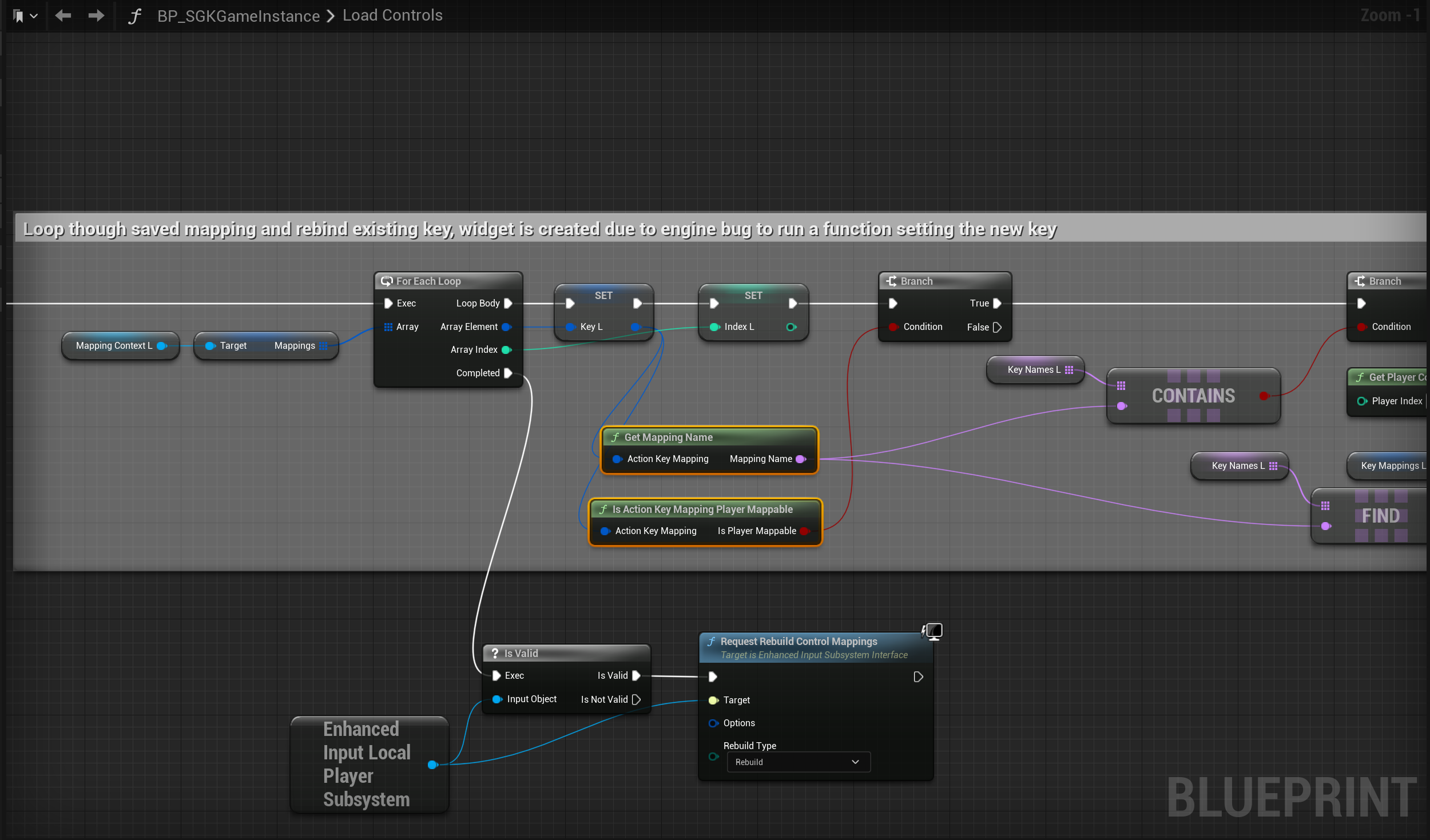
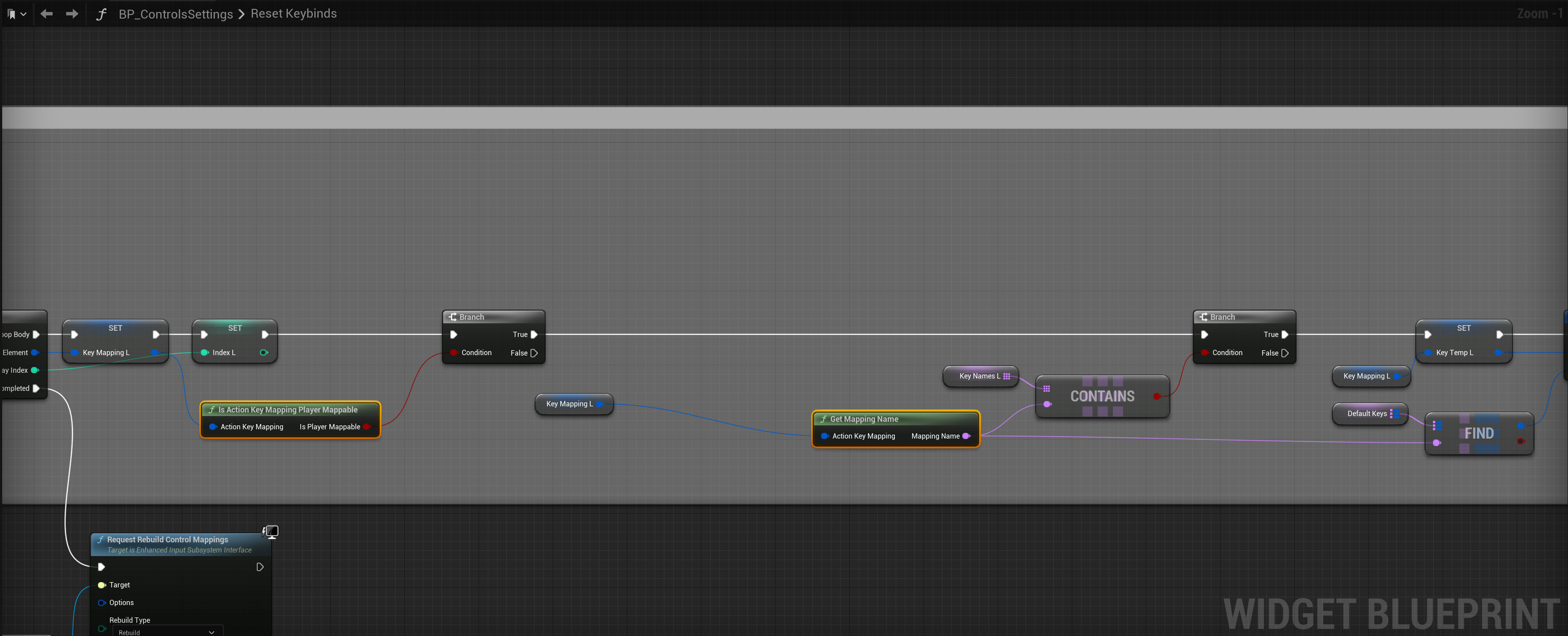
Next go to the BP_ControlSettings then go to the Reset Keybinds function and copy the image below.
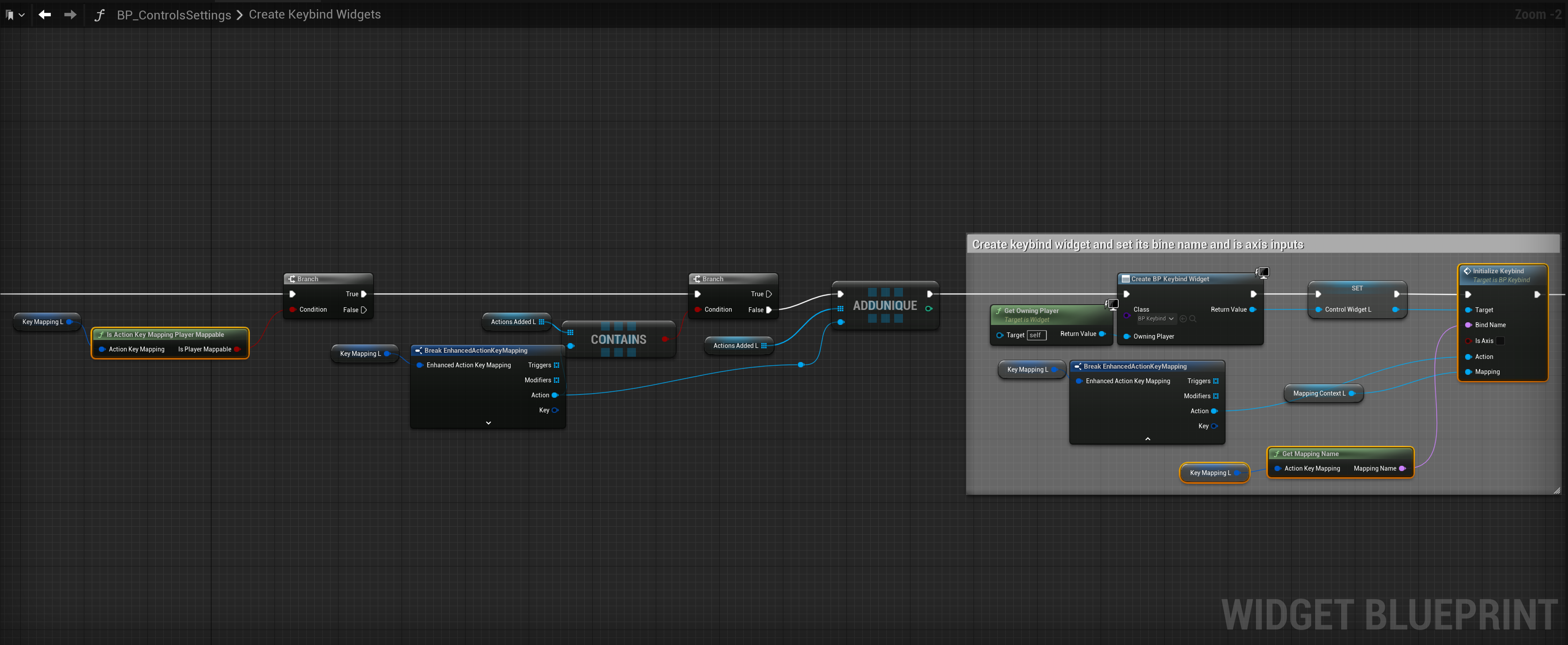
Then go to the Create Keybind Widgets function and copy the image below.
 Defuse Studios